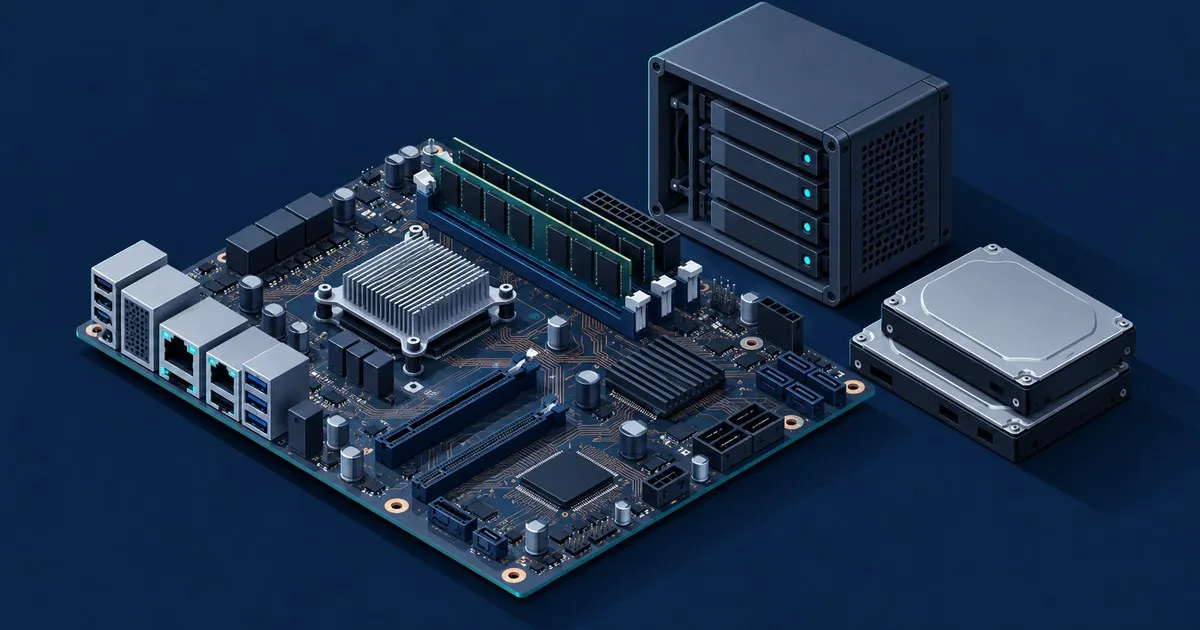
The best motherboard for TrueNAS home server builds in 2026 is the Supermicro X13SAE-F. It puts eight SATA ports, ECC memory (with the right Core CPU), a real IPMI controller and Intel NICs on one ATX board. AMD builders should buy the ASRock Rack B650D4U instead. For four to six drives of replaceable media, a six-SATA N100 or N305 NAS board is the low-power pick.
You don’t need a server board for a home NAS. ECC and IPMI are the extras you pay for, and whether they’re worth it depends on what’s on the pool and where the box lives. The CPU half of the decision is in the best CPU for TrueNAS SCALE guide.
Specs below come from vendor product pages, power figures and quirks from ServeTheHome, and requirements from the TrueNAS 25.10 hardware guide. None of it is a bench test.
What makes a motherboard good for TrueNAS?
A good TrueNAS motherboard has more than four SATA ports wired directly to the disks, a CPU-attached PCIe slot for an HBA and an Intel NIC. If the data is irreplaceable, it also needs ECC support. Audio, Wi-Fi and RGB headers don’t matter. The TrueNAS hardware guide agrees on most of it:
- SATA ports. “Motherboard vendors are better at catering to the needs of NAS users by including more than the traditional four SATA interfaces.” Past that, use a Broadcom/LSI HBA flashed to IT mode. Work out the port count from your pool layout in RAIDZ vs mirrors.
- No RAID. “If a motherboard includes hardware RAID functionality, do not use or configure it.” Supermicro’s spec sheet advertises SATA RAID 0/1/5/10. Leave it off and run AHCI.
- NICs. “Intel and Chelsio interfaces are the best-supported options.” If the network misbehaves, a Realtek port is the first thing to swap.
- ECC. On Intel, 13th generation Core i5 and i7 chips “support ECC as long as they are paired with a workstation motherboard chipset, such as the W680.” On AMD, both the board and the CPU must list ECC support.
How the five boards compare
| Board | Platform | Size | SATA | ECC | BMC | Onboard LAN |
|---|---|---|---|---|---|---|
| Supermicro X13SAE-F | Intel W680, LGA1700 | ATX | 8 | Yes, with an ECC-capable Core CPU | AST2600 | Intel 2.5GbE + Intel 1GbE |
| ASUS Pro WS W680M-ACE SE | Intel W680, LGA1700 | Micro-ATX | 4 + 4 via SlimSAS | Yes, with an ECC-capable Core CPU | AST2600 | 2x Intel 2.5GbE |
| ASRock Rack B650D4U | AMD B650E, AM5 | Micro-ATX | 4 | Yes, DDR5 ECC UDIMM | AST2600 | 2x Intel i210 1GbE |
| ASUS ProArt B650-Creator | AMD B650, AM5 | ATX | 4 | Yes, CPU-dependent | None | Realtek 2.5GbE + Realtek 1GbE |
| N100/N305 six-bay NAS board | Intel Alder Lake-N | Mini-ITX | 6 (JMB585 for the extras) | No | None | 4x 2.5GbE |
Where each one wins
Supermicro X13SAE-F: the one-board answer. Supermicro’s spec page lists an ATX W680 board for 12th to 14th Gen Core chips with:
- up to 192 GB of DDR5 ECC or non-ECC UDIMM
- eight SATA ports and three PCIe 4.0 x4 M.2 slots
- two PCIe 5.0 x16 slots (x16 or x8/x8) and two PCIe 3.0 x4 slots
- Intel i225-LM 2.5GbE and i219LM ports
- an AST2600 BMC
That’s eight drives with no HBA, or an HBA and a 10GbE card both on CPU lanes. In a sparse build with an i7-12700F, ServeTheHome measured 31 W at idle, and 3.8 W powered off with the BMC running.
There are three catches:
- ECC depends on the exact CPU model. STH notes that the i7-12700 supports ECC and the i7-12700F doesn’t.
- Early BIOS versions need a 12th Gen chip. The BMC can’t update the BIOS, so early boards needed a 12th Gen CPU installed to flash the update that adds 13th Gen support. Check the BIOS revision on a used board.
- Supply has been thin. In 2022, STH’s author paid about $500 for the last unit on one Newegg listing, while third-party sellers were asking close to $1,000.
ASUS Pro WS W680M-ACE SE: the same platform in micro-ATX. ASUS’s spec page lists a 9.6 x 9.6 inch board for 12th to 14th Gen Core chips. It takes up to 192 GB of ECC or non-ECC DDR5 UDIMM and has two Intel 2.5GbE ports, plus an AST2600 BMC on its own Realtek 1GbE port. It has four chipset SATA ports and a SlimSAS connector. The SlimSAS connector takes either an NVMe drive at PCIe 4.0 x4 or up to four SATA devices through a breakout cable, so the board handles eight drives without an HBA. Expansion is tighter: one PCIe 5.0 x16, one PCIe 4.0 x4 and one PCIe 3.0 x1. If you add both an HBA and a fast NIC, the NIC goes in the x4 slot.
ASRock Rack B650D4U: ECC and IPMI on AMD. ASRock Rack lists a micro-ATX AM5 board for Ryzen 7000/8000/9000 and EPYC 4004/4005 chips. It has:
- DDR5 ECC or non-ECC UDIMM support
- one PCIe 5.0 x16, one PCIe 5.0 x4 and one PCIe 4.0 x1 slot
- two M.2 slots and four SATA ports
- two Intel i210 1GbE ports
- an AST2600 BMC
STH reviewed a 1U server built on its 10GbE sibling. It reports that people with “bit flippers” are “seeing those errors logged in this platform,” which is the point of ECC. The BMC runs MegaRAC with Redfish. Supermicro changed how it licenses remote media mounting, but STH notes that “ASRock Rack does not charge for this feature.”
The costs:
- Once the pool passes four drives, the x16 slot goes to an HBA.
- The base model only has 1GbE networking.
- Commenters on STH’s 2U1G-B650 review complain about ASRock Rack’s BIOS support.
ASUS ProArt B650-Creator: ECC without a BMC. This is a consumer ATX AM5 board. ASUS lists ECC and non-ECC unbuffered memory support, with ECC depending on the CPU. It has four SATA ports and three M.2 slots. It also has two CPU-attached PCIe 4.0 x16 slots plus a chipset slot running at x4, which leaves room for an HBA and a NIC. The weak spots are the Realtek 2.5GbE and 1GbE ports and the missing IPMI. Check the CPU’s AMD spec page for ECC support before you buy ECC sticks.
N100 and N305 six-bay NAS boards: the low-watt box. These mini-ITX boards are sold under the CWWK, Topton and similar brands. According to the ServeTheHome forum thread that tracks them, they carry:
- six SATA ports, with the extras coming from a JMB585 controller
- two M.2 NVMe slots
- four 2.5GbE ports
Forum users there asked for IPMI and ECC and got neither. Intel’s N100 spec page sets the limits:
- no ECC support
- one memory channel and a 16 GB official maximum
- nine PCIe 3.0 lanes to feed the SATA controller, both NVMe slots and four NICs
That’s plenty for SMB shares and Jellyfin on spinning disks, but not for VMs or an SSD pool. Don’t expect Supermicro-grade BIOS updates from marketplace boards. Our budget NAS build uses this class of board.
Do you need ECC and IPMI on a home NAS?
Neither is required. The OpenZFS FAQ calls ECC “strongly recommended for enterprise environments” and says “for home users the additional safety brought by ECC memory might not justify the cost.” Pay for ECC when the pool holds the only copy of something irreplaceable. Pay for IPMI when the box lives somewhere you can’t easily plug in a monitor.
ECC isn’t a backup. It stops a flipped bit in RAM from being checksummed and written as good data, but it does nothing about a dead pool, ransomware or a careless rm -rf. Replicated snapshots handle those, as covered in our snapshot and replication strategy, and the extra cost of a W680 board buys a lot of backup disk. Whatever board you choose, follow the hardware guide: “RAM failures usually occur in the first three months, so test all RAM before deployment.”
IPMI pays for itself the first time a BIOS update hangs or a pool refuses to import while the box sits in a basement. If the NAS is under your desk, a spare monitor and keyboard do the same job for free. If you buy a BMC, treat it as the most exposed device on the network:
- Give it its own VLAN.
- Set a strong password.
- Never port-forward it.
- Reach it through a Tailscale node on the LAN.
BMC firmware flaws show up in security news often enough that a feed like TechSentinel is worth watching.
Which one to pick
- Irreplaceable data, Plex or Jellyfin, headless in a closet: Supermicro X13SAE-F with a non-F Core i5 or i7 whose Intel spec page lists ECC. If you can’t find the Supermicro, get the ASUS W680M-ACE SE.
- AMD, VMs and ECC: ASRock Rack B650D4U plus an LSI HBA in IT mode from day one. Transcoding on AMD is a separate problem, which the CPU guide covers.
- ECC on a budget, NAS within arm’s reach: ASUS ProArt B650-Creator, with an Intel NIC on standby.
- Four to six drives, low power bill: a six-SATA N100 or N305 board. Size the memory with how much RAM TrueNAS needs.
If you already own a desktop with four free SATA ports and an empty full-length slot, that board plus a used LSI HBA is probably your best option. Before the first pool exists, set SATA to AHCI, flash the latest BIOS and run a full memory test. From there, how to set up TrueNAS SCALE walks through the install.
FAQ
Does TrueNAS need a server motherboard?
No, TrueNAS runs on ordinary desktop motherboards. Its hardware guide sets a floor of a 2-core 64-bit CPU, 8 GB of RAM, a 16 GB boot SSD and two identically sized drives. Server boards add ECC, IPMI and Intel NICs. Those matter for irreplaceable data or a headless box, but not for a media server.
What is the best micro-ATX motherboard for TrueNAS?
The ASUS Pro WS W680M-ACE SE is the best micro-ATX TrueNAS board for Intel builds. It handles eight drives through four SATA ports plus SlimSAS, and adds two Intel 2.5GbE ports, an onboard BMC and ECC with a supporting Core CPU. The AMD alternative, ASRock Rack’s B650D4U, needs an HBA past four drives.
How many SATA ports do I need for TrueNAS?
You need enough SATA ports for the pool you expect to own in three years, with the boot SSD on M.2 so it doesn’t use one. Four ports cover a four-drive RAIDZ1 or RAIDZ2, or two mirrored pairs. Beyond that, buy a board with six or eight ports, or budget for an LSI HBA in IT mode.
Is an N100 motherboard good enough for TrueNAS?
Yes, the N100 is good enough for a file server with four to six drives of replaceable data. Intel lists one memory channel, a 16 GB maximum, nine PCIe 3.0 lanes and no ECC. That rules out VMs, SSD pools and the only copy of family photos. For SMB shares and Jellyfin on hard drives, it’s plenty.
Related across the network
- TrueNAS HBA and Boot Drive Guide: IT Mode, Sizing, Pitfalls — truenashub.com
- Best Mini PC for Proxmox: 3 Hardware Tiers (2026) — minilabhq.com


