TrueNAS Hardware Guide: Requirements & Recommended Specs 2026
TrueNAS hardware requirements and recommended specs for 2026: CPU, ECC RAM, HBA, drives, and NICs in a clear minimum-vs-recommended table. Build it right.
For a home TrueNAS build, the hardware that actually matters, in order, is:
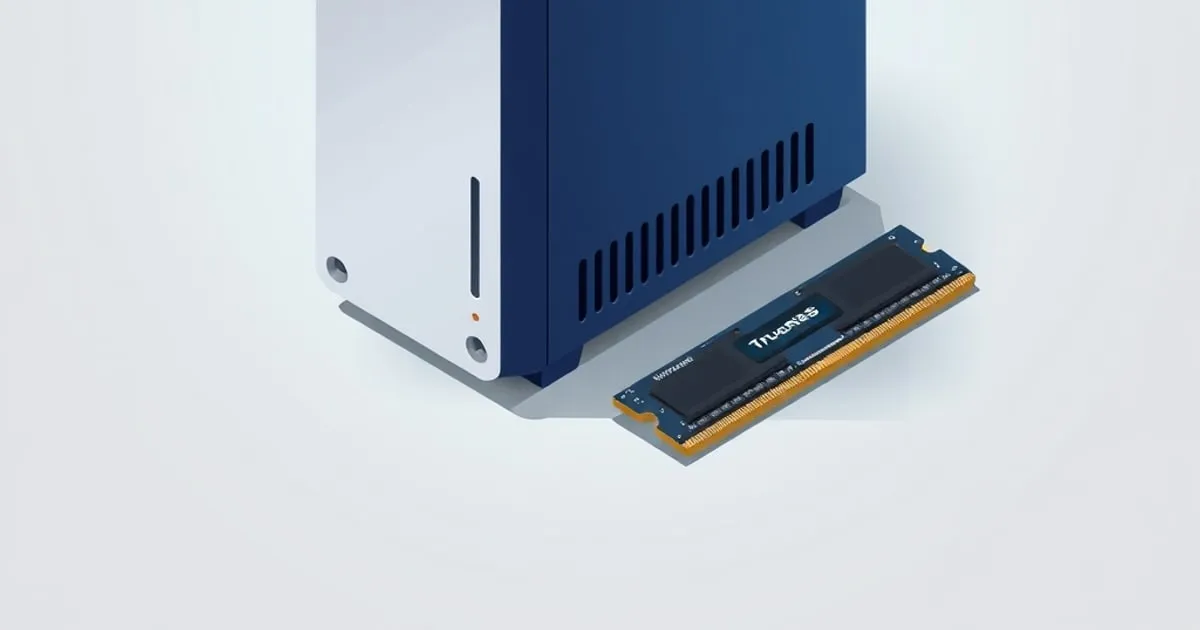
- RAM — 16 GB floor, 32 GB comfortable, with ECC if the budget allows.
- HBA — an LSI HBA flashed to IT mode, never a hardware RAID card.
- Drives — CMR NAS-grade drives, not SMR.
- Power — an efficient 80 Plus Gold PSU sized for 24/7 operation.
CPU speed, 10 GbE, and SLOG/L2ARC matter far less than the community often claims.
This guide covers the TrueNAS hardware requirements for a home NAS and the recommended hardware for a TrueNAS SCALE build, from the bare minimum that boots to the recommended hardware worth building around. The hardware advice in the TrueNAS community ranges from “anything works” to “you must buy server-grade or your data will spontaneously combust.” Reality is in between. ZFS does have hardware preferences, and getting them right saves you headaches down the line, but most of the more extreme advice is a holdover from the early days, and a thoughtful build today using modern desktop parts is perfectly viable for a home NAS. This guide is opinionated about what genuinely matters and what you can deprioritize.
TrueNAS hardware requirements: minimum vs recommended hardware
Two numbers get conflated all the time: what TrueNAS SCALE needs to boot and run, and the recommended hardware you should actually build around. The table below separates them. Treat the minimum column as “this will work”; treat the recommended column as the target for a home NAS meant to run for years.
| Component | Minimum (boots and runs) | Recommended (build around this) |
|---|---|---|
| CPU | 64-bit x86 (Intel or AMD), 2 cores | Modern 4+ core Intel or AMD; QuickSync iGPU if you transcode |
| RAM | 8 GB | 16 GB for pure storage; 32–64 GB with apps or VMs |
| ECC memory | Not required (optional) | ECC recommended for irreplaceable data (see note below) |
| Boot device | 16 GB SATA/NVMe SSD | A small 120–256 GB SSD or NVMe, not a USB stick |
| Storage controller (HBA) | Onboard motherboard SATA ports | LSI HBA flashed to IT mode once you outgrow onboard ports |
| Network (NIC) | 1 GbE | 2.5 GbE onboard; 10 GbE only when you hit a real ceiling |
| Data drives | Any SATA/SAS disk | CMR NAS-grade drives, never SMR |
On ECC memory: ECC is recommended but not strictly required. TrueNAS SCALE runs fine on non-ECC RAM, and plenty of home NAS builds do. ECC matters because ZFS computes its checksums in memory — a bit-flip before the checksum is written produces a valid checksum for already-corrupted data, which ZFS then scrubs and replicates as if healthy. The per-hour odds are tiny; across years on a multi-terabyte pool they are not. If ECC is out of budget, run non-ECC and lean harder on off-site backups.
Once the parts are in hand, how to set up TrueNAS SCALE walks through installation, and if you are still choosing an OS, TrueNAS SCALE vs Unraid vs OMV compares the main options.
What actually matters
1. RAM, in two dimensions: capacity and ECC
ZFS uses RAM aggressively for its ARC (Adaptive Replacement Cache). More RAM = better cache hit rate = faster reads. There is an old rule of thumb of “1 GB RAM per TB of storage” — it is a floor, not a target. How the ARC actually uses that RAM, and how to tune it, is covered in ZFS performance tuning: ARC and recordsize. For a typical home NAS:
- 16 GB is the minimum for a small NAS.
- 32 GB is comfortable for most setups.
- 64 GB+ if you run VMs and apps alongside storage.
On ECC: ECC (Error-Correcting Code) RAM catches and corrects single-bit memory errors. Non-ECC RAM does not. ZFS does end-to-end checksums on data, but those checksums are computed in memory. A bit-flip in RAM before the checksum is computed will result in a “correct” checksum for already-corrupted data — and ZFS will dutifully write that data to disk and replicate it.
The probability of this in any given hour is very low. The probability across years of continuous operation on a large pool with many terabytes of data is not negligible.
Our position: for a home NAS holding irreplaceable data (family photos, document archives), prefer ECC if your budget allows. The cost premium today is much smaller than it used to be — Ryzen Pro CPUs and many AM4/AM5 motherboards support unbuffered ECC, and used Xeon E3/E5 boards are inexpensive on the secondary market. If non-ECC is what you have, run it, but pair it with rigorous off-site backups.
2. HBA, not RAID controller
ZFS wants direct access to disks. It needs to see SMART data, write its own metadata, and manage redundancy itself. Hardware RAID controllers hide all of that behind the controller’s own abstractions, and ZFS cannot do its job correctly behind one.
The community standard is a flashed LSI HBA — typically an LSI 9207-8i, 9300-8i, or 9305-16i flashed to IT (Initiator Target) mode. These are inexpensive on the used market, support 8 to 16 SAS/SATA drives per card, and present the disks directly to the OS. They are battle-tested and Just Work.
What to avoid:
- Hardware RAID cards that cannot be flashed to IT mode (older Dell PERCs without IT firmware, Adaptec, some HP cards).
- USB-attached disk enclosures for primary pool storage. USB is unreliable for sustained SATA-style workloads and ZFS detection of misbehaving USB devices is poor.
- Port multipliers and SATA expanders. They share bandwidth and confuse SMART reporting.
If your motherboard’s SATA ports suffice for the drive count you need, you do not need an HBA. The HBA is for when you outgrow the chipset’s port count.
3. Drives
Drive selection involves more religion than engineering, but a few things are concrete:
- CMR (Conventional Magnetic Recording), not SMR. SMR drives are deceptively cheap and are catastrophic for ZFS resilvers — a known issue that caused public controversy when one major manufacturer shipped SMR drives in their “NAS” line without disclosing it. Confirm CMR before buying. Manufacturer datasheets are the only source of truth here.
- NAS-grade drives (WD Red Plus/Pro, Seagate IronWolf/IronWolf Pro, Toshiba N300) have firmware tuned for 24/7 operation, longer error-recovery timeouts (TLER/ERC), and vibration tolerance. The price premium over desktop drives is small enough to be worth it.
- Mix manufacturing batches. If you buy six identical drives from one batch, they will tend to fail in lockstep. Buy from two retailers, or buy in two batches a month apart.
For SSDs in a ZFS pool, power-loss protection (PLP) is worth seeking out for any drive used as a SLOG. Consumer SSDs without PLP are fine for general pool members and L2ARC, but a SLOG without PLP defeats most of the safety guarantee SLOG is meant to provide.
4. Power supply and cooling
A NAS runs 24/7 for years. The PSU is the unsexy component people skimp on first and regret later.
- Use a 80 Plus Gold or Platinum rated PSU. The efficiency premium pays for itself over years of 24/7 operation and the build quality on these tiers is consistently better.
- Size appropriately, not aggressively. A NAS pulls 40–80 W at idle for an 8-drive system. A 750 W PSU is more than enough; a 1200 W PSU runs at very low load and is less efficient at that load point.
- Active cooling for drives matters. Spinning drives running consistently above 45°C have shorter lifespans. A single front intake fan that pushes air across the drive bays is enough for most cases. Check temps via S.M.A.R.T. after first boot and adjust if needed; the scrub and S.M.A.R.T. disk health guide explains which attributes to watch and how to schedule the tests.
What matters less than people say
CPU performance
A home NAS does not need a fast CPU. Even with ZFS doing checksums, compression (LZ4 is essentially free on modern CPUs), and the occasional scrub, an entry-level desktop CPU from the last decade handles a 4–8 disk NAS without breaking a sweat. Where CPU does matter:
- If you run media transcoding (Plex, Jellyfin) on the NAS. Then you want an Intel CPU with QuickSync (recent generations) or a discrete GPU passed to a VM/app.
- If you run many apps and VMs on the NAS. Then you want core count.
For pure storage, an i3 or Ryzen 5 is overkill.
10 GbE networking
Useful if you have a multi-machine workflow that moves large files. Not useful if your access is one Macbook on Wi-Fi pulling a 4K stream from Jellyfin. Add 10GbE when you have a documented bandwidth ceiling you are hitting, not preemptively. When you do add it, Intel X550-T2 or Mellanox ConnectX-4 Lx on the used market are the standard cards.
SLOG and L2ARC on day one
SLOG (separate intent log) is only useful for synchronous writes — NFS-shared VM datastores, iSCSI block targets, databases. For a typical home file server using SMB, sync writes are rare and SLOG does nothing.
L2ARC (read cache on SSD) is only useful when your working set exceeds your ARC and you have read patterns that benefit from caching. On a NAS with 32 GB+ of RAM serving a typical home workload, L2ARC adds little.
Skip both on day one. Add them later if you can measure a specific bottleneck.
A concrete starting build
For a typical 6–8 bay home TrueNAS SCALE server with VMs and apps:
- Motherboard: AM5 board supporting unbuffered ECC, 4+ SATA ports, 2.5GbE NIC (Asus W680/W780 ProArt or supermicro X13-series equivalents)
- CPU: Ryzen 5 7000-series Pro, or Intel Core i5 13/14th gen for QuickSync
- RAM: 32–64 GB DDR5 ECC
- HBA (if more than 4–6 drives): LSI 9300-8i in IT mode (used)
- Pool drives: 6× 8 TB or 12 TB CMR NAS drives (WD Red Plus, Seagate IronWolf, or Toshiba N300)
- Boot/app drive: 1× small NVMe SSD (256–500 GB) for OS + apps
- PSU: 600–750 W 80+ Gold modular
- Case: 6–8 hot-swap bay case with good airflow (Fractal Define R7 / Node 804 / Silverstone CS381)
This is not cheap, but it is honest. You can build less if your needs are smaller; the best budget NAS build for home shows a lower-cost parts list that still respects the non-negotiables above. The hardware here is appropriate for 5+ years of continuous operation.
How many bays and how much capacity to plan for
The most common over- and under-builds both come from guessing at capacity. Two rules keep the build honest:
- Buy bays you will grow into, not capacity you might use. ZFS cannot easily widen a RAIDZ vdev’s disk count after creation (RAIDZ expansion exists in recent OpenZFS but is slow and has caveats), so the cleaner growth path is larger drives or an added vdev. A case and HBA with spare bays cost little now and save a full rebuild later; TrueNAS pool expansion options lays out each growth path and its tradeoffs.
- Plan to fill a pool to no more than ~80%. ZFS performance degrades as a pool approaches full because it works harder to find contiguous free space. Size usable capacity so your real data sits under that line with headroom for snapshots.
For the topology that turns those drives into usable space, work the drive count through ZFS pool design: RAIDZ vs mirrors before you buy, because the redundancy choice changes how much raw capacity you need. To put a real number on it (usable space after parity, padding, the slop reserve, and that ~80% ceiling), model the build in the ZFS pool capacity calculator.
FAQ
What are the TrueNAS hardware requirements?
TrueNAS SCALE requires a 64-bit x86 CPU with at least two cores, a minimum of 8 GB of RAM, a dedicated boot device of 16 GB or larger, and one or more data drives. Those are the floor that boots. A practical home build wants 16 GB or more RAM, an SSD boot drive, and CMR NAS-grade disks for the storage pool.
What is the recommended hardware for TrueNAS?
The recommended hardware for TrueNAS is a modern multi-core Intel or AMD CPU, 16 to 32 GB of RAM (ideally ECC), a small SSD boot drive, and CMR NAS-grade data drives. Add an LSI HBA flashed to IT mode once you outgrow onboard SATA ports, and add 2.5 or 10 GbE networking only when a real bandwidth ceiling appears.
Is ECC memory recommended for a TrueNAS SCALE build?
Yes. ECC memory is recommended but not strictly required for TrueNAS SCALE. Because ZFS computes checksums in RAM, a memory bit-flip can corrupt data before the checksum is written, and ECC corrects those single-bit errors. Non-ECC RAM works fine and is common; if you go that route, pair the build with disciplined off-site backups.
How much RAM does TrueNAS SCALE need?
TrueNAS SCALE boots with 8 GB of RAM, but 16 GB is a more realistic floor for a home NAS, and 32 GB is comfortable once you add apps or virtual machines. ZFS uses free memory as read cache (the ARC), so more RAM generally improves read performance up to the size of your active working set.
Can you run TrueNAS on any hardware, or do you need server-grade parts?
You can run TrueNAS on most 64-bit x86 hardware, including modern desktop parts, so server-grade gear is not strictly required for a home NAS. The parts that genuinely matter are a real HBA instead of a hardware RAID card, CMR drives instead of SMR, and enough RAM. See the best budget NAS build for home for a lower-cost route.
Affiliate disclosure
Some links to retailers on TrueNASGuide may be affiliate links. We earn a small commission if you purchase through them, at no extra cost to you. We only recommend hardware we’d buy ourselves and would recommend to a friend.
Next steps
- Once your hardware is chosen, TrueNAS SCALE vs CORE in 2026 covers OS selection.
- ZFS Pool Design: RAIDZ vs Mirrors walks through the topology choice for your specific drive count.
See also
Related

TrueNAS Pool Expansion: 3 Ways to Grow a ZFS Pool
Add a vdev, replace drives one by one, or use RAIDZ expansion to grow a TrueNAS pool without rebuilding. Compare the trade-offs and pick the right path.

Best Budget NAS Build for Home: What Actually Works in 2026
A practical guide to the best budget NAS build for home use: Intel N100 platforms, ZFS-compatible drives, TrueNAS SCALE setup, and the backup plan

How to Set Up TrueNAS SCALE: From Bare Metal to First Share
A practical step-by-step guide on how to set up TrueNAS SCALE — hardware, installation, pool creation with RAIDZ, datasets, SMB shares, and backups.