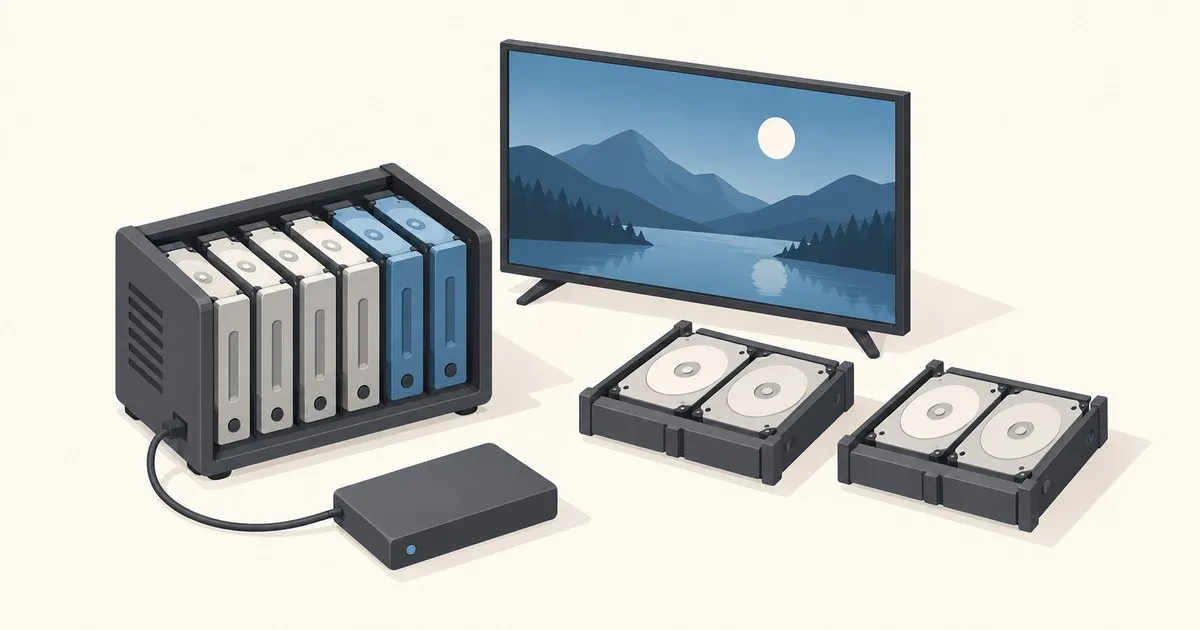
A sensible ZFS pool layout for a Plex media server puts movies on redundant HDDs and Plex’s database on a local SSD. Our default is RAIDZ2 for a media-focused NAS; choose mirrors when growth in disk pairs or random I/O matters more. That recommendation follows OpenZFS’s workload guidance.
Which ZFS pool layout should you pick?
How they were compared: the comparison draws on OpenZFS’s documented sequential and random I/O workloads, including mirrors’ advantage for small random reads. Capacity figures are calculated examples.
The capacity examples below are calculations from OpenZFS’s mirror and RAIDZ formulas. Assume equal-sized disks. Capacity is approximate, before filesystem overhead and free-space allowance.
| Disks | Layout | Capacity in disk equivalents | Disk failures tolerated |
|---|---|---|---|
| 2 | One mirror | 1 | Either disk |
| 4 | Two mirrors | 2 | One per mirror |
| 4 | One RAIDZ1 | 3 | Any one |
| 4 | One RAIDZ2 | 2 | Any two |
| 6 | Three mirrors | 3 | One per mirror |
| 6 | One RAIDZ2 | 4 | Any two |
RAIDZ2 wins for bulk media. With four disks, choose it when surviving any two disk failures matters most. With six, it also offers more capacity than mirrors.
Mirrors win for mixed workloads and pairwise growth. Pick them if this pool also hosts busy VMs. Two failed disks in the same mirror can lose the entire pool, even when another mirror is healthy.
RAIDZ1 is the budget compromise. Consider it only for replaceable media whose downtime and recovery you accept. Redundancy belongs to each vdev, the disk group inside a pool; losing a data vdev threatens the whole pool.
Who this is for and hardware that works
This assumes an existing TrueNAS NAS and a Linux N100 mini-PC with compose v2. Use your setup day for configuration and a restore drill; copying an existing library can take longer. Skip a pool rebuild if your current NAS already serves Plex reliably.
Keep the HDDs on the NAS’s SATA/SAS controller. OpenZFS flags USB adapters’ sector reporting and SMART passthrough problems in its hardware guidance. A pile of USB enclosures is a tempting way to acquire another troubleshooting hobby.
Separate media, metadata, and transcodes
Create a tank/media dataset for movies and shows. Set recordsize=1M, compression=lz4, and leave deduplication off. These choices follow OpenZFS’s sequential-workload recommendations and deduplication cautions. Larger records apply to newly created files; changing the setting does not rewrite your library. Add capacity before reaching 80% full, following TrueNAS guidance.
Keep Plex’s /config, including its database and artwork, on the mini-PC’s SSD. Plex warns that network filesystems can cause database-locking problems in its container documentation. If Plex runs on TrueNAS itself, use a separate SSD pool and configuration dataset; retain its default recordsize initially. Give /transcode disposable local storage, excluded from backups.
Skip L2ARC and SLOG initially. L2ARC helps suitable repeated reads; SLOG serves synchronous writes. A special vdev permanently stores essential pool blocks, so losing it can lose the pool. These are different devices with different failure consequences, not interchangeable SSD upgrades.
Plan expansion before buying disks
TrueNAS’s pool-management documentation confirms RAIDZ expansion arrived in 24.10. On a supporting installation, you can extend a RAIDZ vdev with another disk while retaining its parity level. Expanding RAIDZ1 does not turn it into RAIDZ2.
Existing blocks retain their original data-to-parity ratio until rewritten, so expanded capacity can differ from a freshly created layout. Start with a healthy pool and verified backups. Mirrors can grow by adding another mirror vdev; attaching another disk to an existing mirror adds redundancy, not capacity. Compare the pool expansion options before spending money.
The stack: keep Plex configuration local
Mount the NAS media share at /mnt/plex-media. Grant Plex’s container user read access there and write access to local plex-config and plex-transcode directories. Save this docker-compose.yml on the mini-PC’s SSD, following Plex’s container conventions.
services:
  plex:
    image: plexinc/pms-docker:latest
    network_mode: host
    restart: unless-stopped
    environment:
      TZ: Etc/UTC
    volumes:
      - ./plex-config:/config
      - ./plex-transcode:/transcode
      - /mnt/plex-media:/data:ro
Run mountpoint -q /mnt/plex-media && docker compose up -d. Arrange boot ordering so the share mounts before Plex starts. Complete setup from the same LAN at http://MINIPC-IP:32400/web and add libraries under /data. These are bind mounts: back up plex-config; keep transcode scratch separate.
Storage and backups: rehearse the rebuild
Schedule media snapshots and copy irreplaceable videos to a separate backup device, preferably off-site. Snapshots on the source pool cannot survive its loss; TrueNAS recommends snapshots plus replication.
For Plex, stop the container and archive plex-config to a dedicated NAS backup dataset. Copy that archive to a disconnected backup disk. Plex’s backup instructions cover the full data directory, including settings and metadata.
Rehearse recovery with the original container stopped: restore the archive into a fresh directory, preserve ownership, point Compose there, and start Plex. Check libraries, artwork, watched status, and playback. Restore a sample media file from the separate backup too.
Networking and operations
Start on the LAN without a reverse proxy or router port-forward. For personal remote access, Tailscale connects media clients through an encrypted Tailnet; its cost is client setup on your viewing devices.
Use manual container updates after a configuration backup, then verify playback. Inspect docker compose logs plex, keep scheduled scrubs enabled, and configure alerts for degraded pools and backup failures. Use Tech Sentinel’s patch triage when deciding which security updates deserve immediate attention.
Related across the network
- OpenMediaVault vs TrueNAS: Plugins, Storage and Upgrades — openmediavaultlab.com
- Proxmox Snapshots: How They Work and When to Use — proxmoxguide.com
- Proxmox ZFS Storage: Pools, Zvols, volblocksize, ARC — proxmoxguide.com


